


Seamless Frame Requests
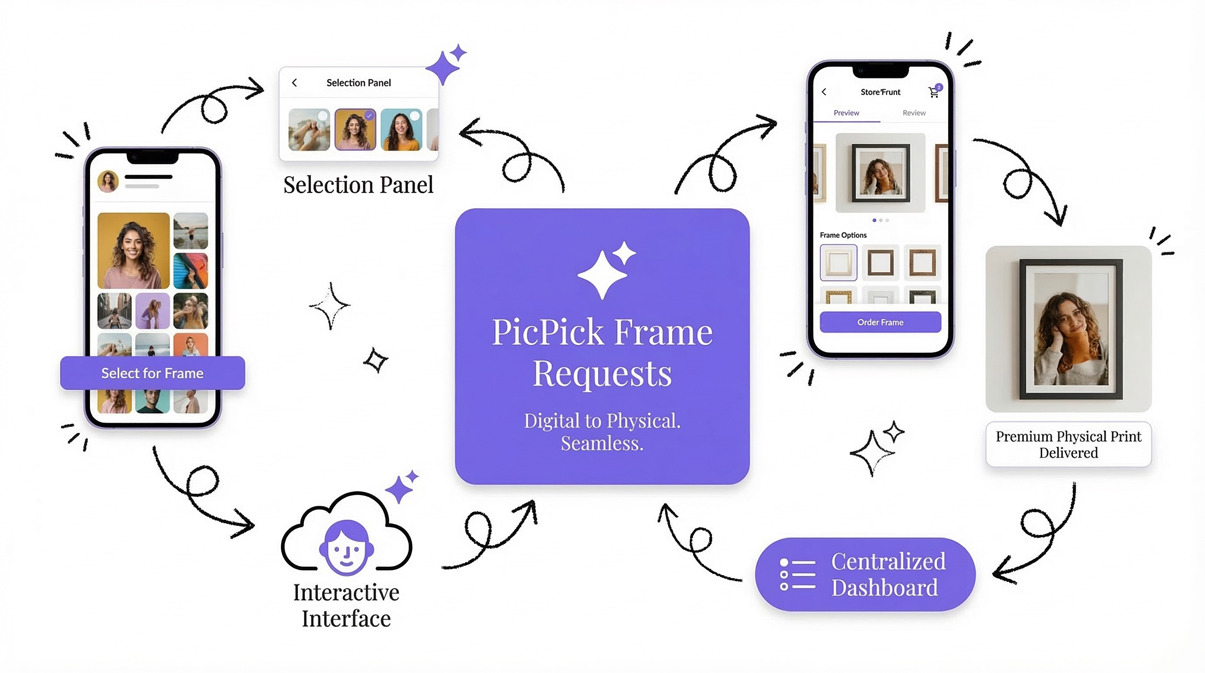
Bridge the gap between digital delivery and physical print sales. The PicPick Frame Requests module turns your digital galleries and selection panels into active storefronts, allowing clients to order premium physical frames directly from their viewing link.
Gone are the days of endless email threads trying to figure out which photo a client wants printed, what size they need, and how they want it cropped. The interactive client interface handles all of that upfront.
When a request comes in, it lands in your centralized Frame Request dashboard, complete with exact crop coordinates, contact details, and chosen frame aesthetics, ready to be sent to the lab.
What’s included
The Frame Requests module removes all the guesswork from print fulfillment. It captures precise mathematical data from the client so you can execute the print flawlessly.
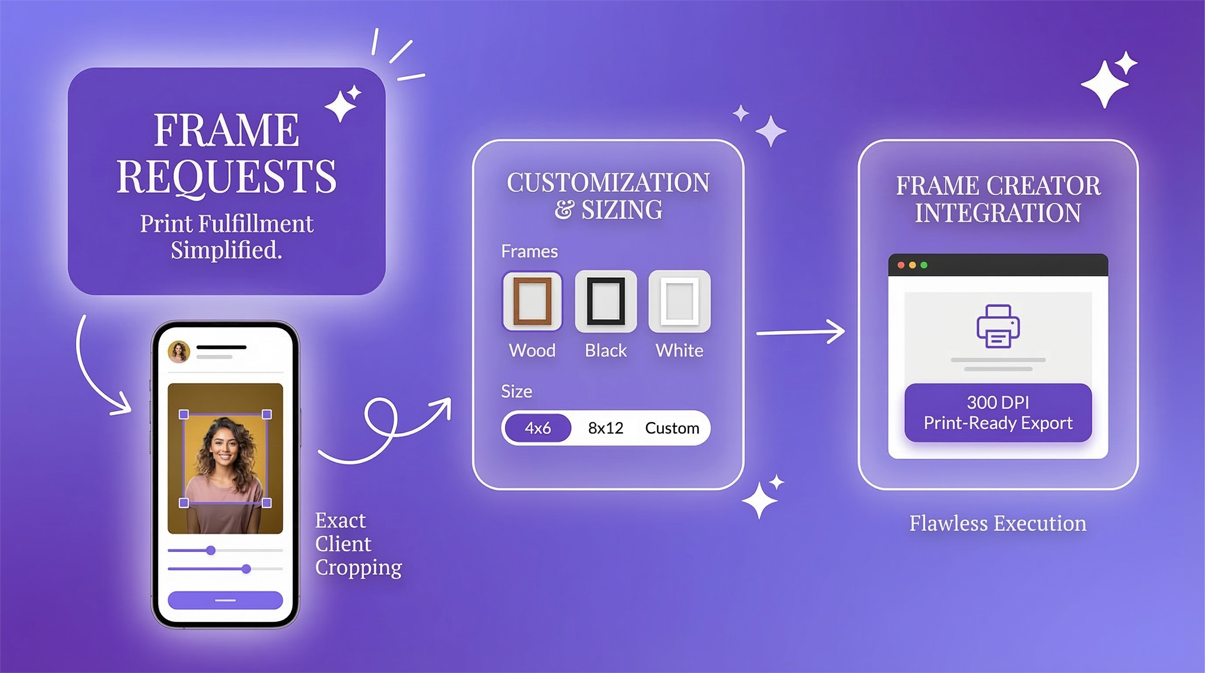
- Exact Client Cropping: Clients use an interactive box to set the exact `crop_x`, `crop_y`, width, and height. No more "crop a bit from the left" instructions.
- Frame Customization: Clients select their preferred frame color (e.g., Wood, Black, White) and orientation (Portrait or Landscape).
- Flexible Sizing: Support for standard lab sizes (4x6, 8x12) or fully custom dimensions requested by the client.
- Frame Creator Integration: Jump directly from a request into the Frame Creator to export the 300 DPI, print-ready file in one click.
The Production Pipeline
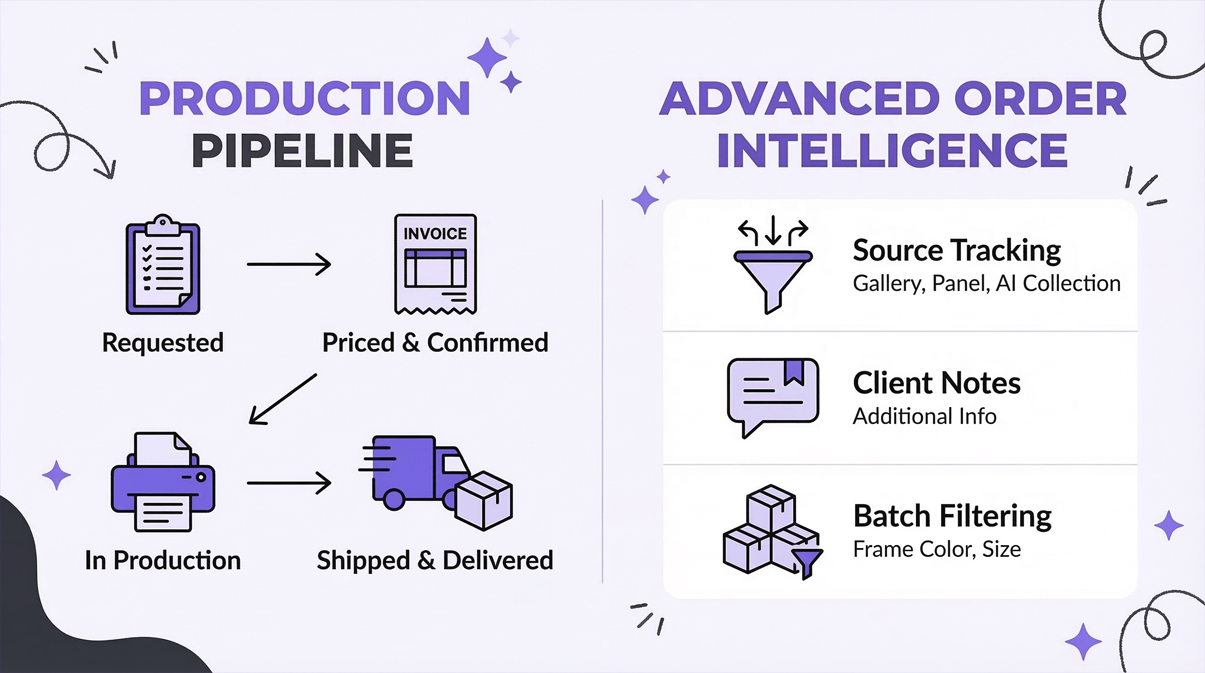
Keep your clients in the loop and your studio organized. Every frame request follows a strict status pipeline so nothing gets lost in the shuffle.
-
1. Requested: A new order arrives from a Gallery or Panel with exact dimensions and contact details.
-
2. Priced & Confirmed: You generate an invoice for the physical product. Once paid, the order moves to Confirmed.
-
3. In Production: The 300 DPI file is exported from the Frame Creator and sent to your print lab.
-
4. Shipped & Delivered: The final physical product is dispatched and tracked until it reaches the client's wall.
Advanced Order Intelligence
The dashboard gives you a panoramic view of every pending print job. Sort, filter, and manage high volumes of requests with ease.
- Source Tracking: Instantly see whether a request originated from a specific Client Gallery, a Selection Panel, or an AI Collection.
- Client Notes: Read specific "Additional Info" left by the client (e.g., "Please remove the exit sign in the background before printing").
- Batch Filtering: Filter your dashboard by frame color or size, allowing you to easily bulk-order all your 8x12 Black Frames from your lab at once to save on shipping.
What our users say
See how Frame Requests are transforming post-shoot revenue for studios.

“Managing print orders used to involve ten different emails just to get the crop right. Now, my clients set the exact crop, choose the frame color, and hit request directly from their gallery. I move the status to 'In Production' and export the 300 DPI file in one click. My print revenue has doubled because it's so easy for the client.”
Emma Stone
Fine Art Wedding Photographer
Turn digital views into physical sales
Create your free account today and let your clients order beautiful prints directly from their galleries.
-
No credit card required
-
7-Day free trial